
![Microsoft Office 2010: Overview of programs [2023]](https://www.webtechradar.com/wp-content/uploads/2021/03/feature-image-3-1200x675.jpg)
Microsoft Office 2010 has more or less the same features we saw in the tech preview.
Word’s context menu, for example, has been significantly improved and allows you to see changes in real-time as you scroll through the different options.
Now you can add videos to your PowerPoint presentations, remove redundant messages from conversations in Outlook.
And insert small samples into Excel spreadsheet cells.
However, there are also tools available to translate text, take and use screenshots, and apply special effects to images used in documents.
Plus, Microsoft Office 2010 now lets you save your documents to SkyDrive and share them online with just two clicks.
Moreover, Microsoft Office 2010 appears to be as fast and light on system resources as the technical preview regarding performance.
However, there is a significant improvement in the startup time of the suite’s applications and their behavior when working on documents.
For a broader view of software & productivity, readers can also use our main guide on 3 ways to use a reminder app system to alert your clients to connect this specific point with the wider topic.
Table of Contents
Some changes to keep in mind about Microsoft Office
- Regarding the appearance, all Microsoft Office 2010 applications have been slightly changed.
- However, they still retain the “ribbon” interface – in a much cleaner, almost minimalist style.
- But the Office button has been renamed “File” and now displays an altered panel.
- It includes direct access to all document-related activities, and also displays detailed
information about the document.
Soft and elegant
- Overall, Microsoft Office 2010 is a great productivity suite with new features that make it easier and more comfortable to use.
- And also, it make an even more professional solution for everyday work.
What is a Work Management Software used for?
If you’re working on both projects and non-project tasks, but haven’t found the right software, you may be looking in the wrong places.
While advanced task or project management software can help you to some extent, you should consider a more versatile solution for managing non-project activities, such as attending conferences or answering emails: work management software.
A related next point is employee monitoring in 2025 why clevercontrol is the ultimate choice, which gives readers additional context when moving from this section into another closely connected part of software & productivity.
Businesses evaluating workforce oversight tools can also explore this guide to employee monitoring with CleverControl to understand its approach to employee activity tracking, productivity monitoring, and workforce visibility.
Overview of the programs included in Microsoft Office
Word 2010
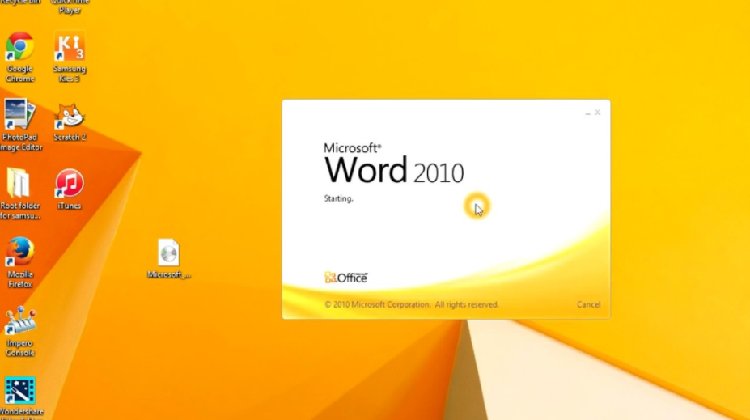
- Word processing has never been easier. Easily create small or large documents with different formatting.
- And also, the multitude of functions allows for even greater productivity.
Excel 2010
- For small personal accounts or large tables in companies.
- However, Excel is suitable for many areas and allows you to manage and process large amounts of data without problems.
PowerPoint 2010
- Make presentations to convey all the essential information of the conference or exposition.
- In presentation mode, sequentially sorted slides can edit with a single mouse click.
- And also, it can also integrate Multimedia files such as images, videos, and sounds.
Outlook 2010
- With Outlook, you can create the central point for communication and appointment management.
- The built-in email function allows you to quickly write emails, with actual dates entered in the calendar.
- However, Outlook reminds you of them.
OneNote 2010
- Pen and paper notes and piles of documents on your desk are a thing of the past OneNote is a digital notebook that records and manages all vital information. You check the info and improve your performance and your joint work.
Specialized workplaces may also use industry-specific technologies alongside their standard productivity tools. For example, MIDI (Musical Instrument Digital Interface) enables compatible musical instruments and software to exchange performance data, making it relevant to certain music production and studio environments.
Access 2010
- Manage and maintain large volumes of data in custom databases. These can be divided, used quickly and easily in various fields. Access has been improved and is suitable for both beginners and advanced users.
Publisher 2010
- Designs and publishes high-quality publications for marketing and communication. It guarantees a strong presence with both models and your plans.
InfoPath 2010
- Surveys and forms can be created, rated, and summarized quickly and easily. Prepare the data in a presentation to discuss with a colleague about a project.
Lync 2010
- Lync tools and features ensure seamless collaboration. Team members discuss the most critical issues, no matter where they are. It is done through video conferencing and high-resolution screen transfers.
A related next point is midi, which gives readers additional context when moving from this section into another closely connected part of software & productivity.
Monitoring employee activity is only one aspect of workplace efficiency; employees also need to find business information quickly. Enterprise search software helps organizations discover relevant documents and information across multiple systems, reducing the time spent searching for internal resources.
Features of the Microsoft Office 2010 Professional Plus program
- Firstly, Complete suite for text work, spreadsheets, presentations, etc.
- Secondly, Compatible with 32/64 bit systems for maximum performance.
- Formato ISO Open XML Office
- Interactive help for the ribbon menu in Windows seven
- With SharePoint 2010 for productive collaboration with colleagues
- Lastly, Lync: integrated IP telephony and video conferencing
Organizations managing hybrid teams may benefit from combining employee monitoring with tools that coordinate physical office resources. Room scheduling software helps employees reserve meeting spaces, coordinate schedules, and manage shared workplace facilities more efficiently.

Afiya Jafar
Afiya Jafar is a technology writer who focuses on making complex technology topics clear, practical, and easy to understand. Her work covers artificial intelligence, software, gadgets, cybersecurity, cloud computing, internet technologies, mobile technology, digital tools, and emerging technology trends.
View Author Profile →
Sameena Begum
Sameena Begum is a health, technology, and digital content reviewer who reviews selected articles to help ensure that information is presented clearly, accurately, and responsibly.
View Reviewer Profile →